All Posts
15 April 2025
5 min read
How to Use Ticha AI on Safeticha
At Safeticha, we're committed to making teaching easier, smarter, and more inclusive. One of the most powerful tools on the platform is Ticha AI -- your personal teaching assistant, designed to help you create high-quality teaching resources in minutes.
Whether you need a lesson plan, lesson note, worksheet, quiz, assessment, syllabus, or scheme of work, Ticha AI does the hard work for you. Even better, it supports differentiation for SEND pupils and can generate resources in multiple languages to suit diverse classrooms. Here's everything you need to know about using Ticha AI effectively.
Getting Started with Ticha AI
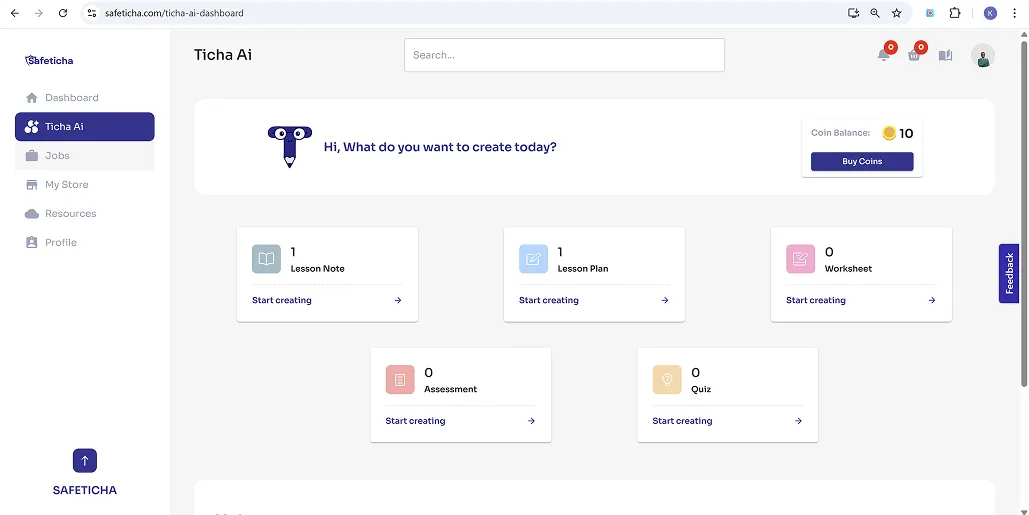
Every user who joins Safeticha is automatically gifted 10 free coins. Each coin generates one resource, so you can try out Ticha AI straight away. Once you've used your free coins, you can purchase more directly from your dashboard.
What Can You Create with Ticha AI?
Ticha AI can generate a wide variety of classroom resources, including:
- Lesson plans
- Lesson notes
- Worksheets
- Quizzes
- Assessments
- Syllabuses
- Schemes of work
Each resource can be tailored to:
- Different difficulty levels (to accommodate varying pupil abilities)
- Specific learning needs, including SEND pupils
- Different languages, to support bilingual or multilingual learners
How to Generate a Resource with Ticha AI
Using Ticha AI is simple and intuitive. Just follow these steps:
a) Go to your dashboard and click on the Ticha AI tab.
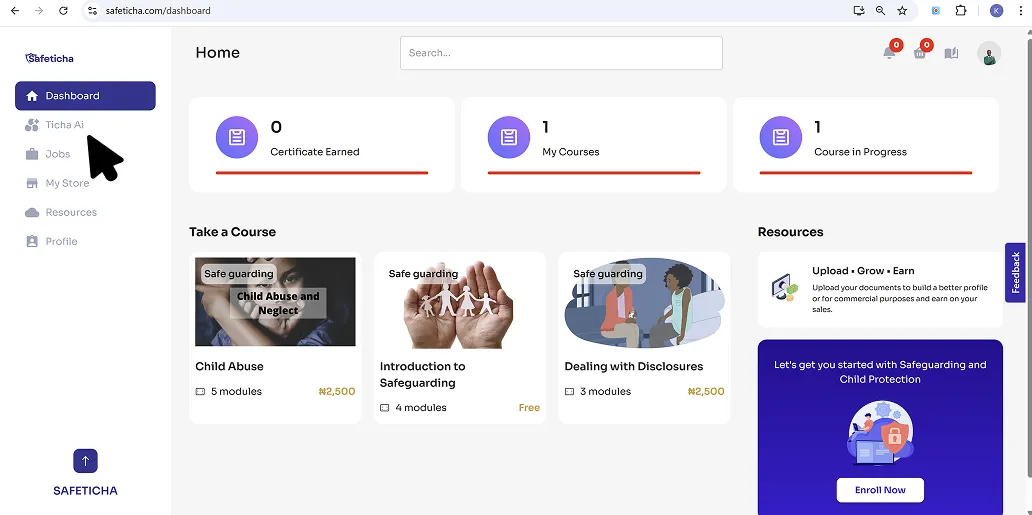
b) Choose the type of resource you'd like to generate (e.g., worksheet, lesson plan).
c) Fill in the mandatory fields, such as subject, topic, year group, and curriculum.
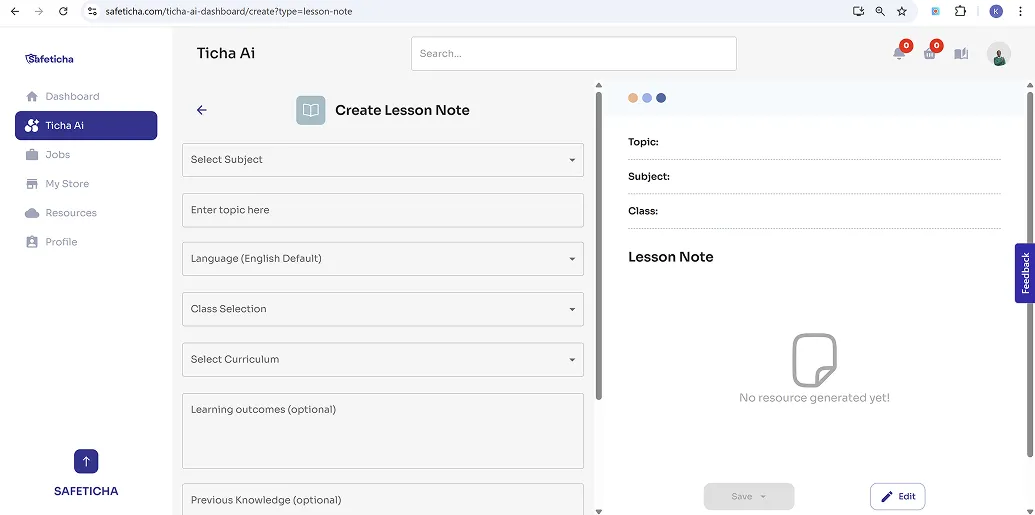
d) (Optional): Add extra details like learning objectives and previous knowledge.
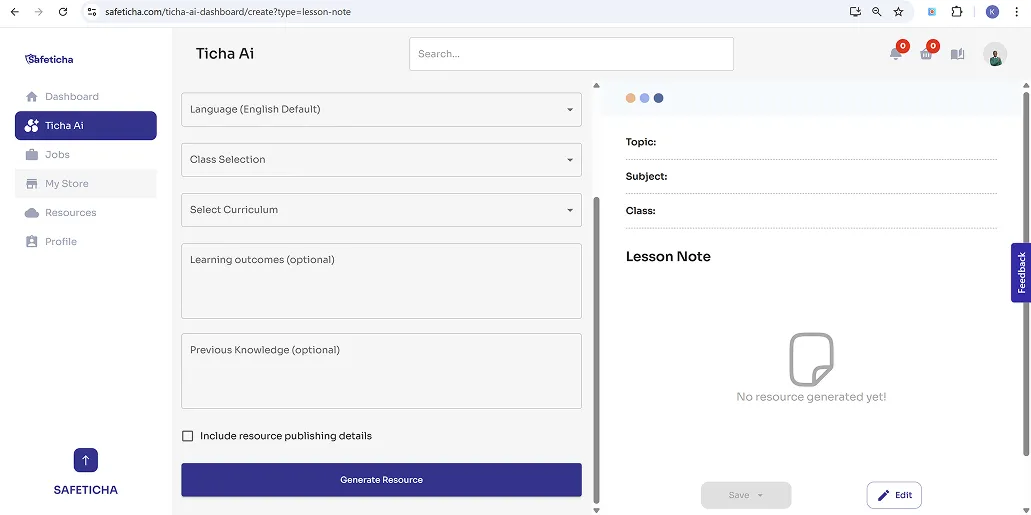
e) Click "Generate".
Within seconds, Ticha AI will create a tailored, professional-quality resource.
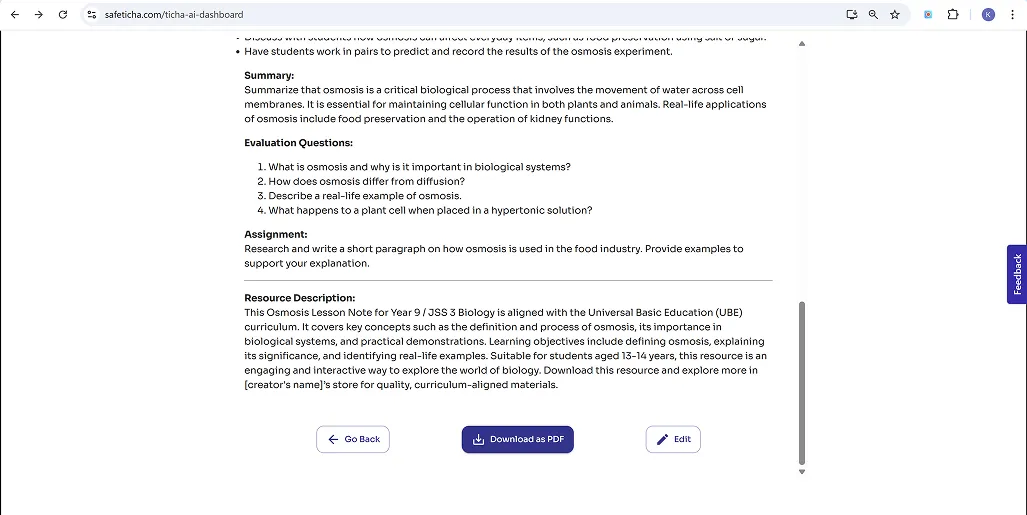
Edit, Save, or Download
After your resource is generated:
- You can preview it and make any edits directly on the page.
- Once you're happy, you can choose to save it to your store or download it as a PDF, or both!
- Resources saved will appear in "My Items" on the Ticha AI dashboard.
Why Teachers Love Ticha AI
- Saves time: No need to start from scratch -- Ticha AI gives you a solid, editable foundation.
- Supports inclusion: Easily adapt materials for SEND learners or language-specific needs.
- Improves consistency: Generate standardised resources that meet learning objectives.
- Earn while you teach: Save your resources to your store and sell them on the Safeticha marketplace.
Ticha AI is more than just a resource generator -- it's a smart, supportive teaching companion that empowers you to work more efficiently while meeting the unique needs of your learners. If you haven't tried it yet, head over to your Ticha AI tab, use your free 10 coins, and see just how easy it is to bring your ideas to life.
Ready to get started?
Join thousands of teachers, students, and schools already using Safeticha.
Sign Up FreeMore from Safeticha